🪙 Creating Your Chronyx Wallet
Before you can start trading with Chronyx, you need to create a wallet. This process is simple and fully integrated into Telegram.
🔧 Steps to Create Your Wallet
-
Open the Bot:
Launch the Telegram bot via
https://t.me/ChronyxBotand press Start.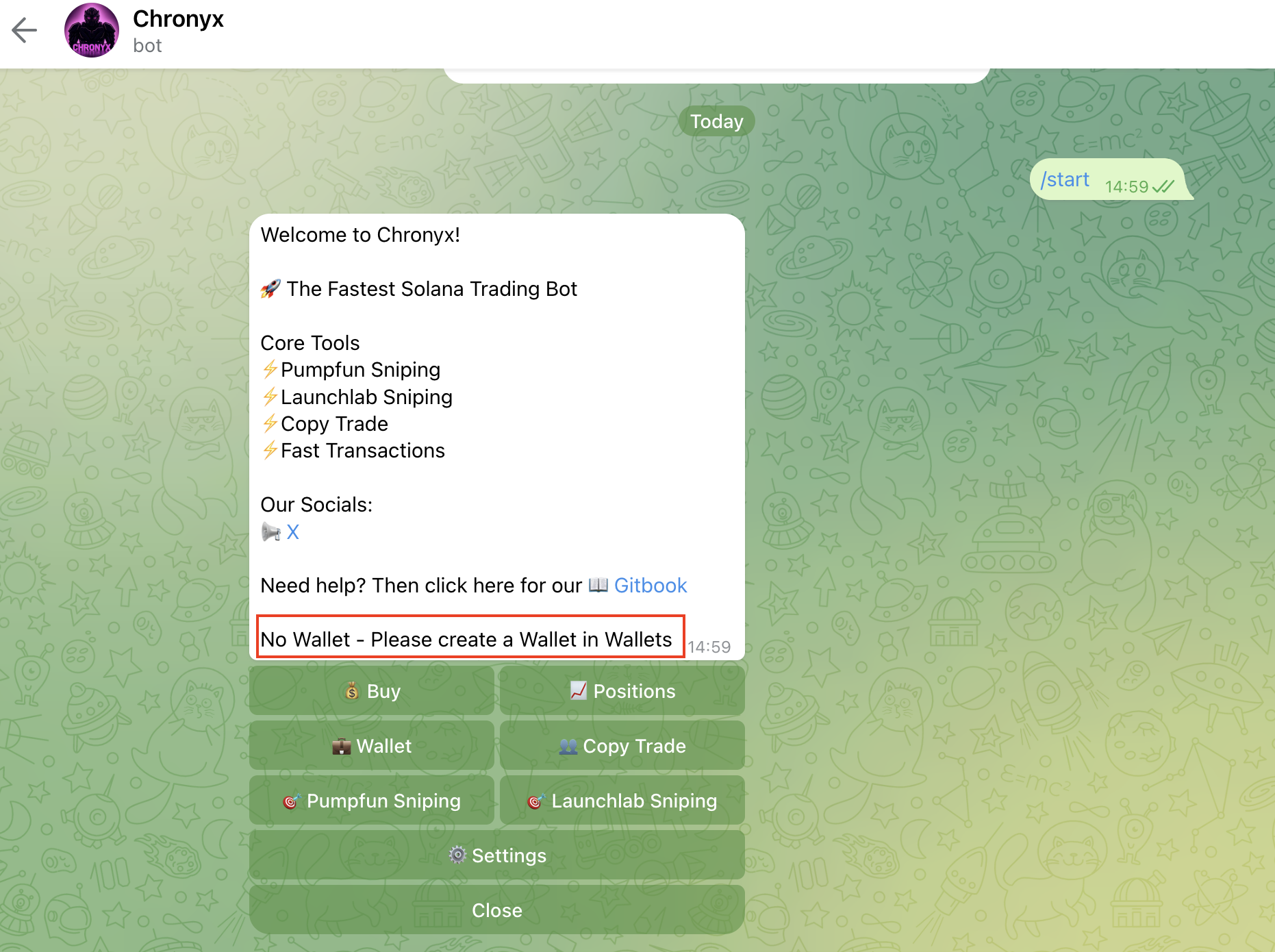
-
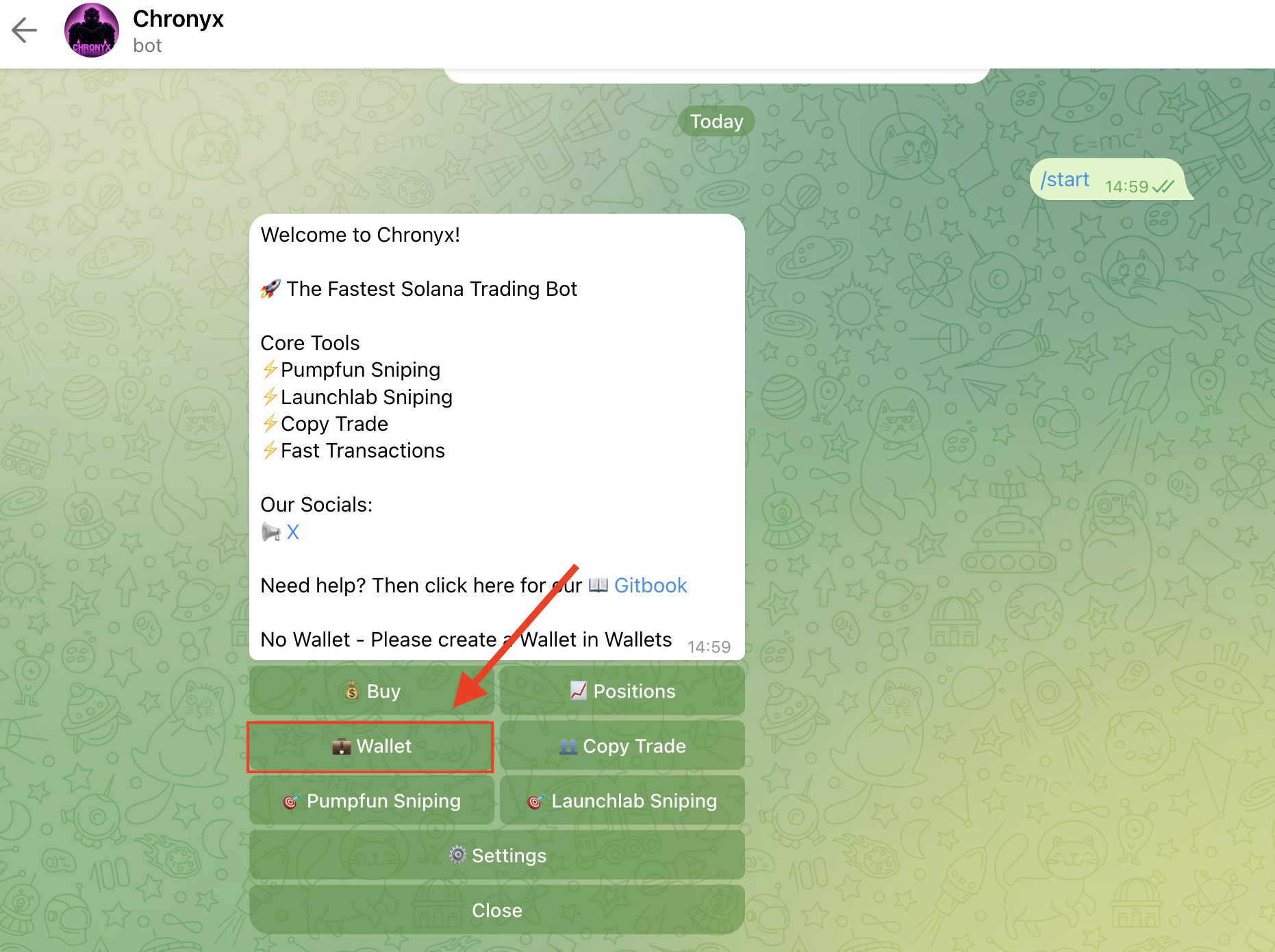
Access the Wallet Menu:
Tap on Wallet in the main menu. If no wallet exists yet, you’ll be prompted to create one.
Importing an external wallet is not supported for security reasons.
-
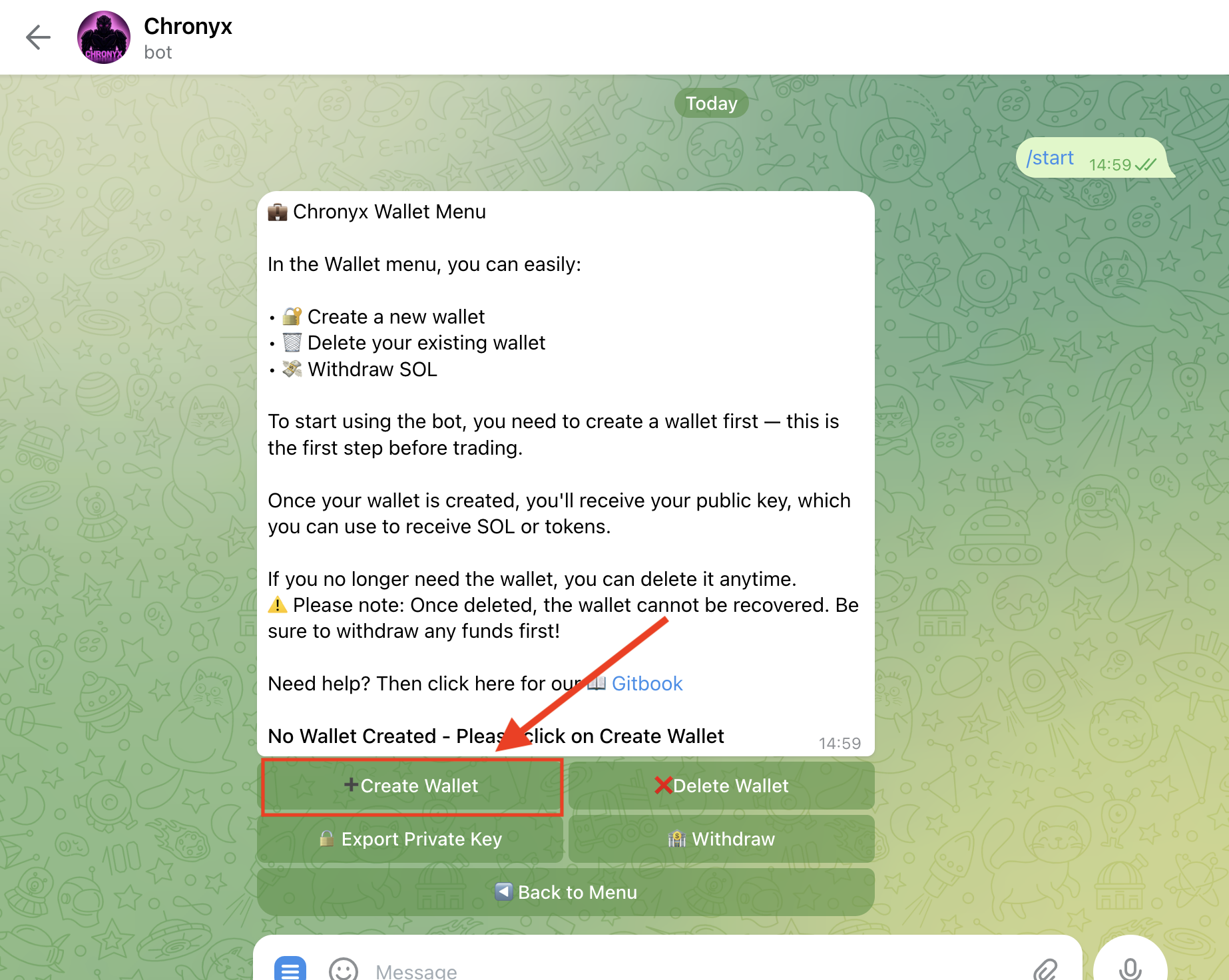
Create Wallet:
Click on Create Wallet. A secure Solana wallet will be generated instantly.
-
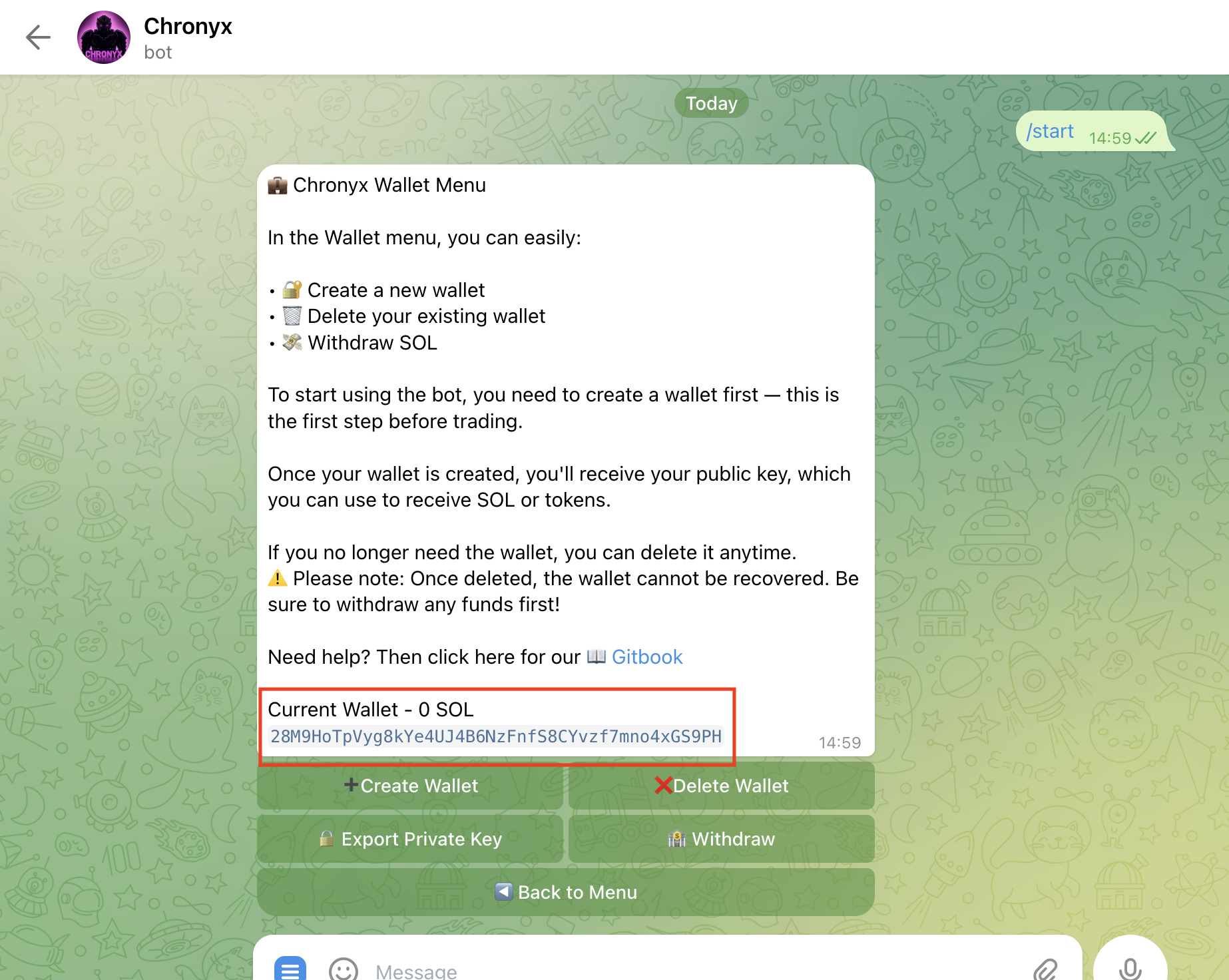
Receive Your Public Key:
Once created, your wallet’s public key (also called “pubkey”) will be shown. You can now receive SOL.
-
Deposit SOL to Your Wallet:
Send SOL to your wallet using the public key. You’ll need SOL to perform trades using the bot.
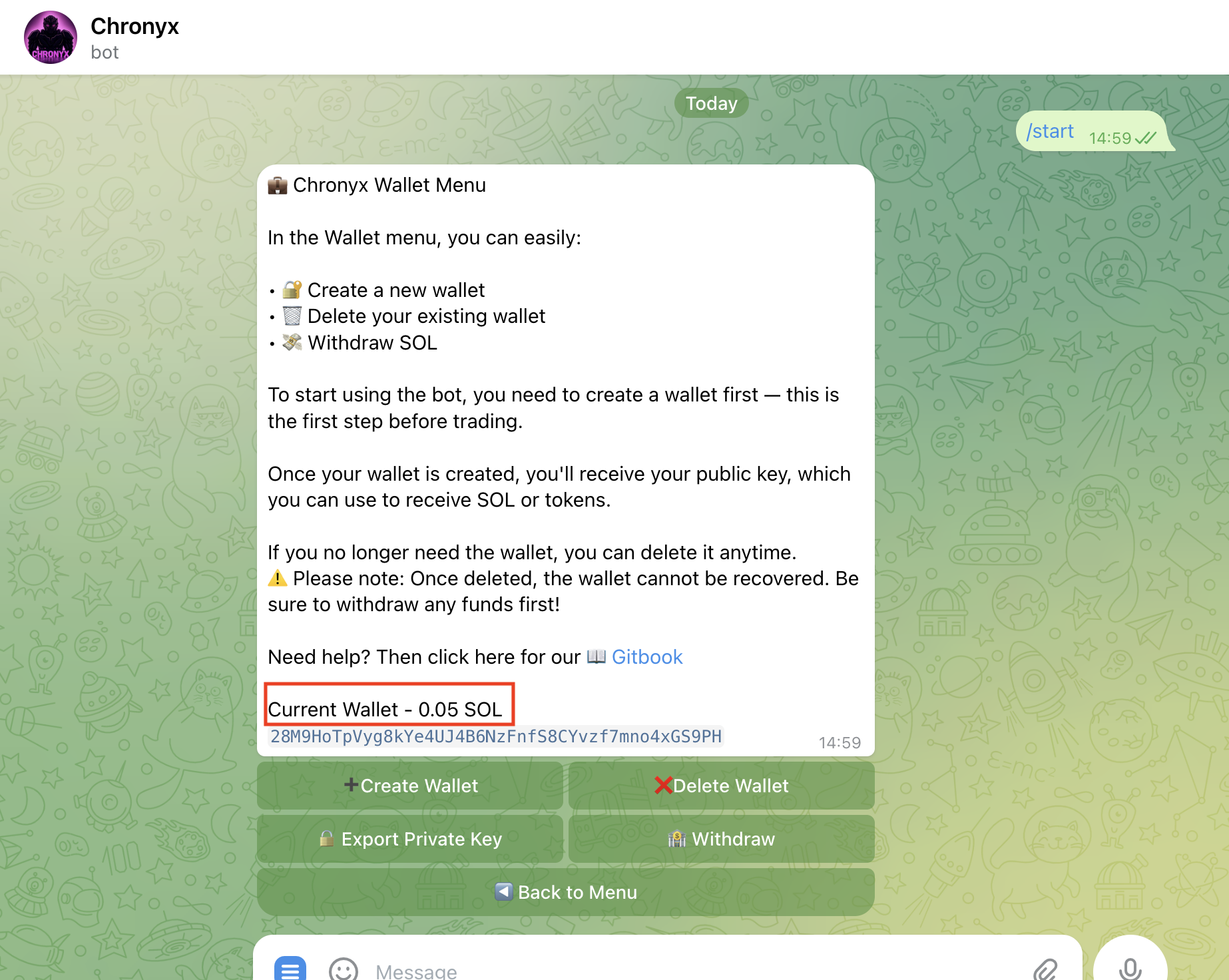
📸 Once funds have arrived, your SOL balance will be displayed like this:
⚠️ Important Notes
- 🔐 Never share your private key. No one from Chronyx will ever ask for it – not in Telegram, not via email, and not anywhere else.
- 📱 You can only create one wallet per Telegram account.
- ❌ If you delete your wallet, it cannot be recovered. All funds will be permanently lost.
- 💸 Once your wallet is created, you’ll be able to withdraw funds at any time from the Wallet menu.
➡️ What’s Next?
Now that your wallet is ready, it’s time to fine-tune your experience.
🔧 In the next section, we’ll walk you through the Chronyx Settings – where you can configure Fast Buy, Slippage, MEV Protection, Priority Fees, and more to optimize both speed and security.