💸 How to Buy Tokens
Buying tokens with Chronyx is fast and straightforward. Follow these steps to purchase Solana tokens using their contract address.
Step-by-step guide
-
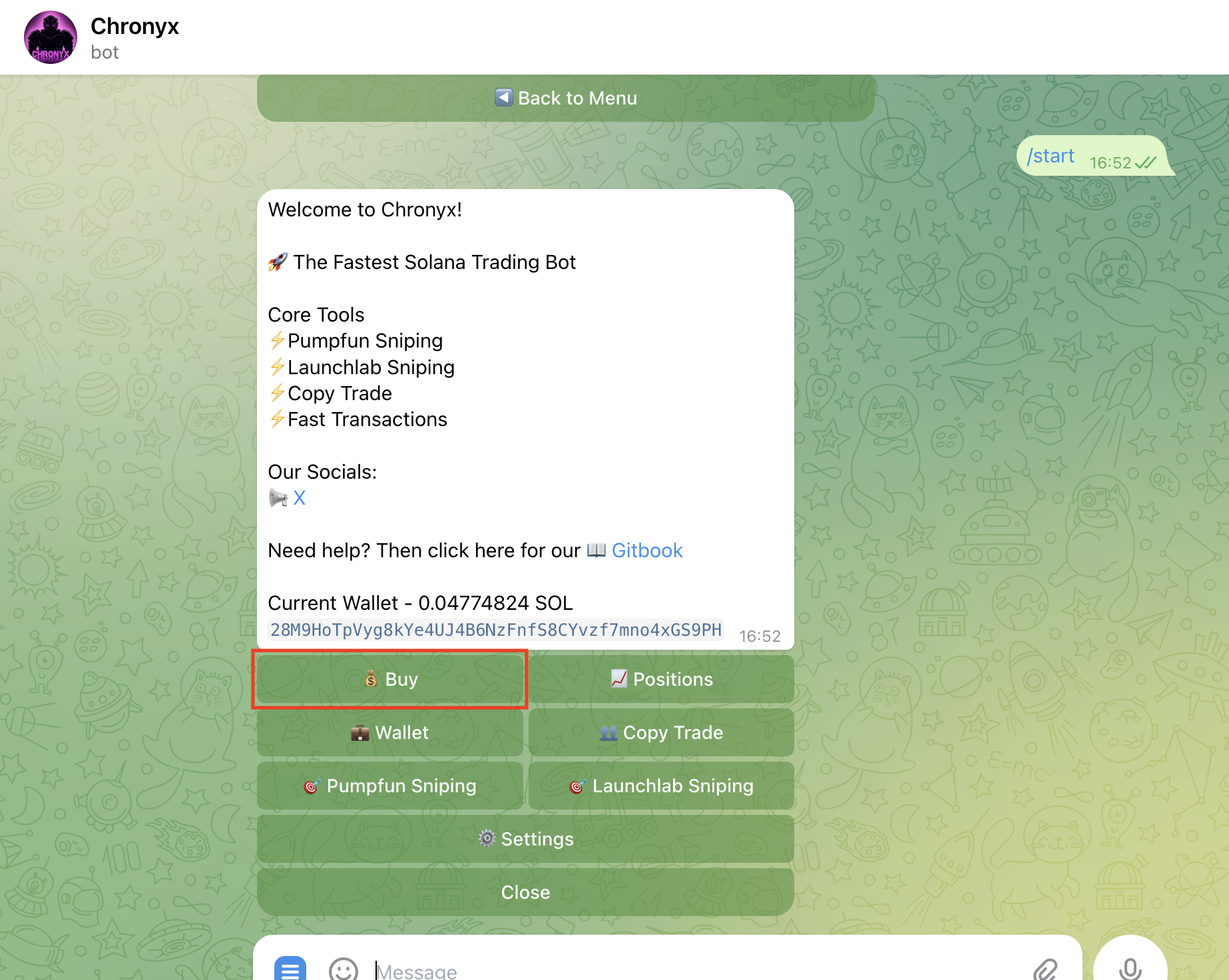
From the Start Menu, tap the Buy button.
-
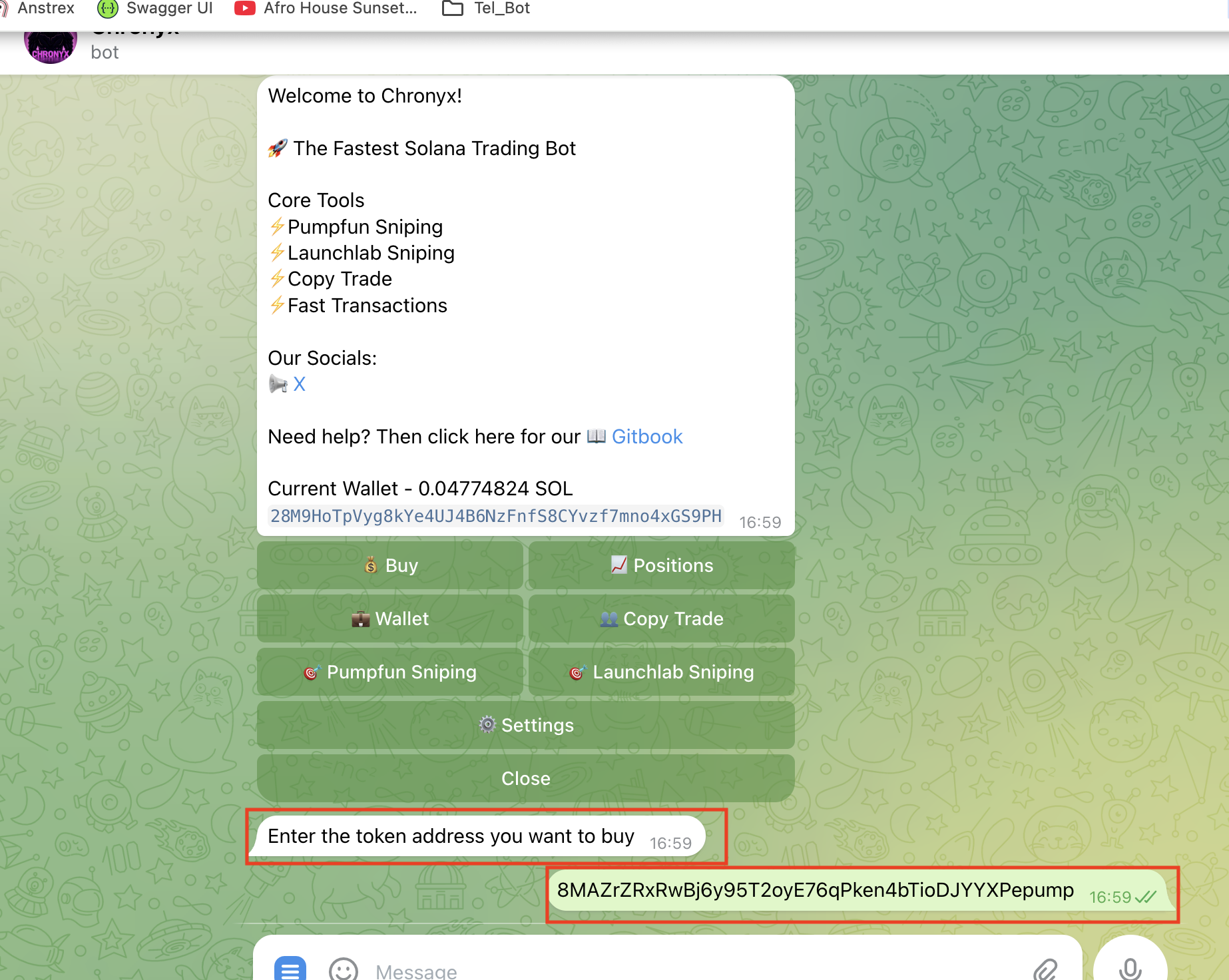
Enter the token contract address you want to purchase. Double-check to avoid mistakes.
-
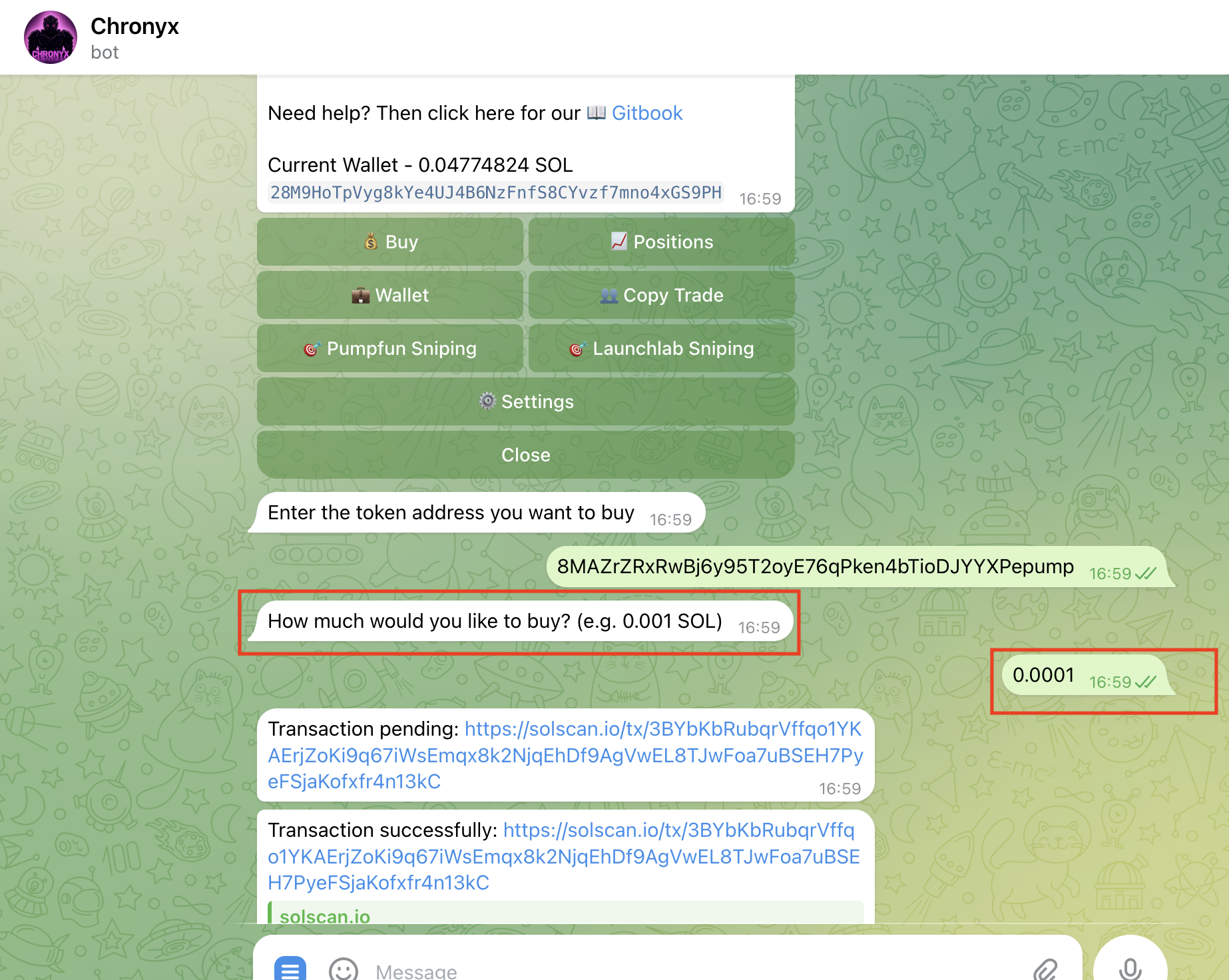
Enter the amount of SOL you want to spend.
-
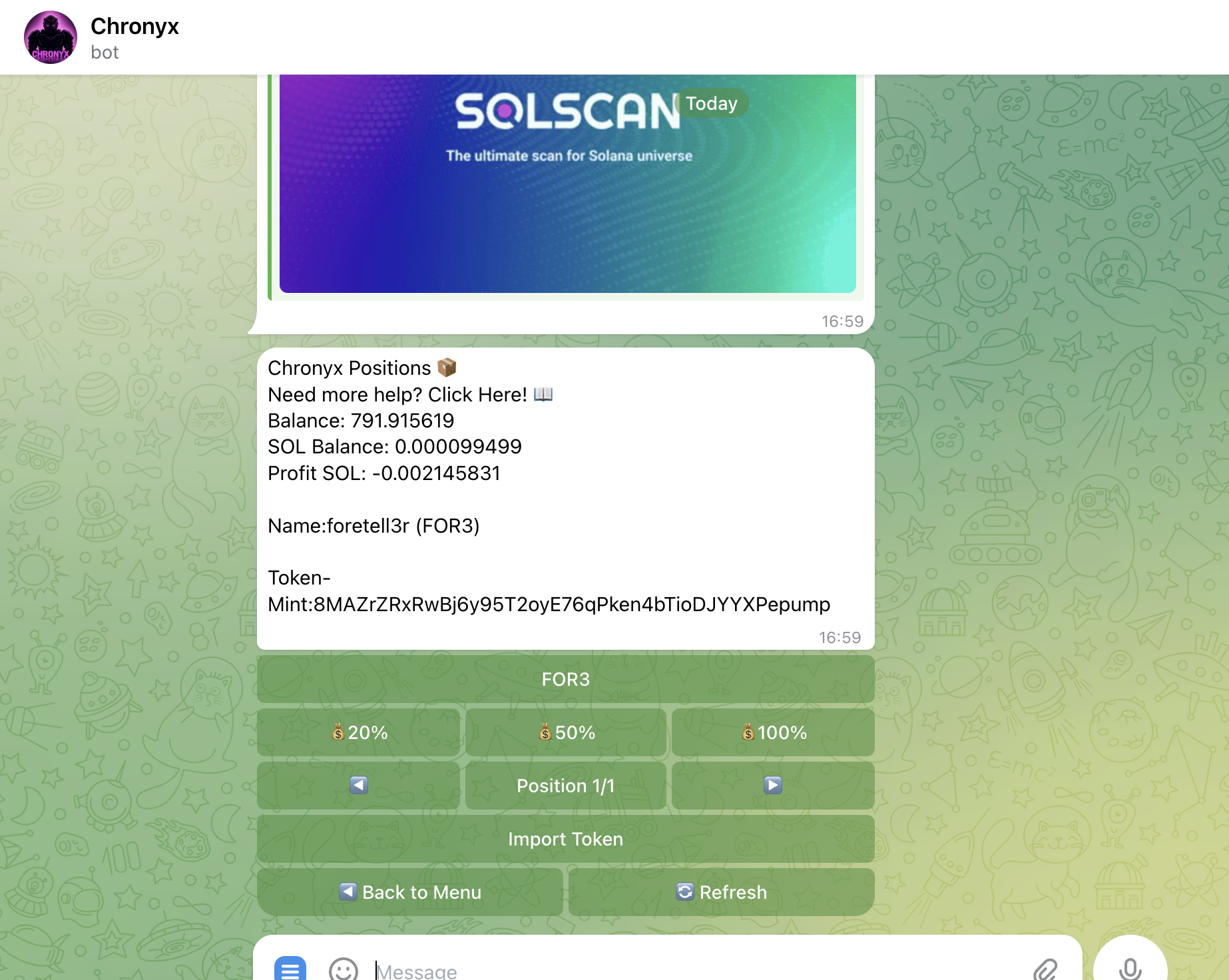
🎉 Congratulations! Your transaction was successful, and the Positions Tab will automatically open to show your active holdings. 👉 Learn more about the Positions Tab on the next page.
Important tips
- Always verify the token contract address before buying.
- Make sure your wallet has enough SOL to cover the purchase amount.
🎉 You’re all set to start buying tokens with Chronyx!
➡️ Next: Learn how to Sell Tokens and Manage Positions in the following section.
Last updated on