🌐 Language Settings
Chronyx supports multiple languages to make your trading experience smooth and comfortable.
What can you do here?
- Select your preferred language from the available options.
- The bot will remember your choice and display all messages, menus, and prompts in your selected language from now on.
- Changing the language anytime is easy and instant.
How to change your language
-
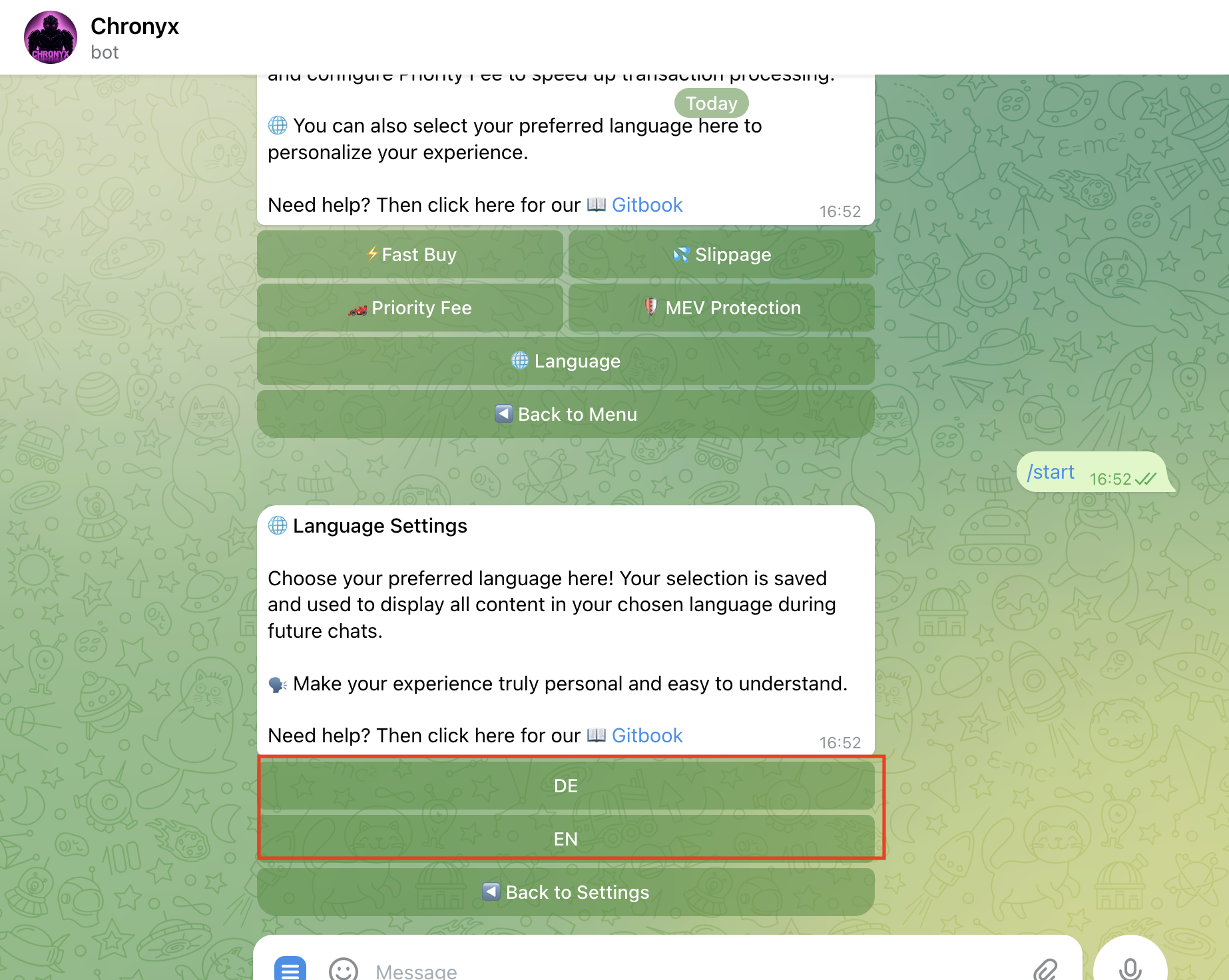
Open the Settings > Language menu in Chronyx.
-
Browse through the list of supported languages.
-
Tap on your preferred language to select it.
-
The bot will automatically save your choice and apply it immediately.
-
All future interactions will be shown in your selected language.
Why set your language?
- 🗣️ Communicate with Chronyx in your native language.
- 🔄 Easily switch languages if needed.
- 📱 Enjoy a personalized and intuitive user experience.
🎉 You’re all set! With your language set, Chronyx will guide you clearly and smoothly in every step.
Last updated on